


This guide shows exactly what you need to put together an AMD Threadripper PC build for 3D Rendering, we will focus our components on a CPU rendering machine build which is strictly a Threadripper build. For clarity’s sake, understand that CPU rendering relies heavily on the system CPU, ignoring the graphics card entirely. No matter how fast or powerful your graphics card is, it will not affect render times.
Of course, some renderers are CPU-based including VRAY, Corona Renderer, Mental Ray, and Arnold Renderer. However, if you want to go for GPU rendering, you might want to go for the best GPU for rendering because that’s the trend now. This build features the AMD Threadripper CPU which offers great performance when it comes to heavy-duty rendering.
You might also want to check out our guide on the best budget gaming PC. Other guides include the best 4K video editing PC Build guide and if you’re into CAD and prefer a laptop, check out our best laptop for Solidworks. You might also check out other guides for custom PC builds. Otherwise, if you are ready, let’s go!
RELATED ARTICLE

Build the Ultimate CAD Workstation PC
If you’re planning on building the ultimate CAD Workstation PC, check out this article for recommendations.
Threadripper PC build Parts List

AMD Threadripper PC Build
All parts are vetted for compatibility.
- CPU: Ryzen Threadripper 2990WX
- Motherboard: ASRock Socket TR4 AMD X399
- CPU Cooler: Noctua NH-U14S TR4-SP3 Premium-Grade CPU Cooler
- Storage (Media/User Files): Seagate Barracuda 8TB
- Storage (OS/Apps): Samsung 980 NVMe 500GB
- PSU: MSI MAG 1250GL Gaming PSU Full Modular 80+ Gold
- RAM: Corsair Vengeance LPX 64GB
- GPU: ASUS Phoenix GeForce RTX 3050 V2
- Display: Dell Monitor 27-Inch IPS FHD
Hardware priority chart for a Threadripper PC Build

From the chart above, you should dedicate the most resources to getting the best multi-core processor your money can buy. This is because animation rendering is CPU intensive. Most Animation renderers like VRay and MentalRay make use of a technique called “bucket rendering”, whereby the application assigns a part of the frame to a core on the CPU die. When the core has finished rendering the image, it is assigned another bucket to render.
This is the reason why we recommend getting the best multi-core CPU available for your best rendering desktop build. The more cores your processor has, the better. This translates to faster processing times. The next in order of importance is a high-end Graphics Card for GPU rendering support. This is because GPU rendering is quite popular and gaining wide acceptance with more and more render engines supporting GPU rendering.
Next is the boot drive and RAM. Both of them share the same level of priority with the Graphics card. A fast SSD drive or better still NVME SSD is indispensable if you want a screaming fast rendering machine. The SSD is the drive that would hold your Windows installation and 3D rendering and modeling apps. As such, ultra-fast application startup time is invaluable. This will save you money in the long run.
A fast SSD enables fast response times and overall enhanced system performance. Finally, you need large amounts of fast RAM for enhanced multitasking. This means you can still do normal computing even when you are rendering a job. You also need a fast hard drive for this build, though it isn’t as important as the boot drive. It is mainly used for file storage.
Components Breakdown for Threadripper PC build for 3D Rendering
Let’s look at the components individually. We start with the processor – The AMD Ryzen Threadripper 2990WX CPU, a true behemoth among its peers.
The Processor
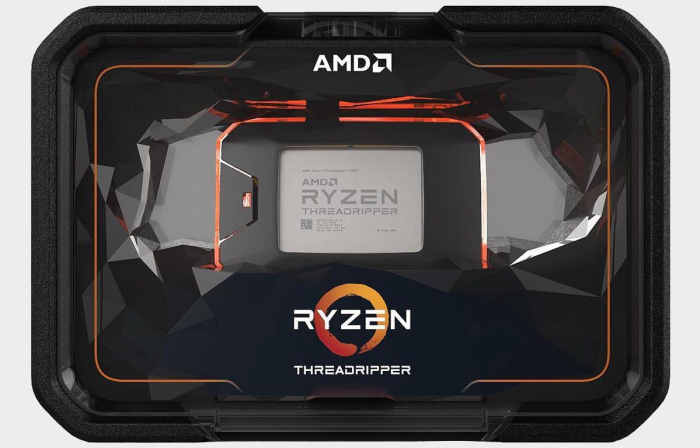
The Ryzen Threadripper 2990WX offers fantastic rendering performance for the price. This AMD flagship processor is best suited for highly demanding workloads such as ray trace rendering, scientific research computations, massive data simulation, virtualization as a server machine CPU, or similar usage scenarios.
The 2990WX is designed to accelerate massive computation workloads, and in this case, rendering. When paired with appropriate hardware, this CPU will massively speed up your rendering tasks, as it renders whole 8K frames in a few seconds.
Ryzen Threadripper 2990WX Features
ARCHITECTURE: Pinnacle Ridge
CORE COUNT: 32 cores, 64 threads with SMT
POWER: 250 Watt TDP
BASE/BOOST FREQ: 3.0 – 4.2 GHz
MULTIPLIER STATUS: Unlocked
PCI EXPRESS SUPPORT: 64 Lanes PCIe Gen 3.0
DDR MEMORY SUPPORT: Quad-channel DDR4-2933
CACHE MEMORY: 80 MB (L2 + L3 Cache)
RELATED ARTICLE

The Best PC Build for 3D Modeling & Rendering – All Budgets
Check out our comprehensive build guide for Rendering 3D images. Equipment recommendations and buying guides included.
A note to Gamers
If you intend to use this CPU for gaming, think again. You may be throwing away your cash because this CPU performs poorly in single-threaded applications such as gaming. Its single-core performance does not justify the price, and for gaming, it will work worse than a simpler, much cheaper CPU.
This is because most of the cores are lying around doing nothing, while the system utilizes just a few cores. It’s overkill to go for this CPU solely for gaming purposes. If you are not using this for heavy-duty rendering and computation, then don’t buy it. Instead, check out our other build guides for more options.
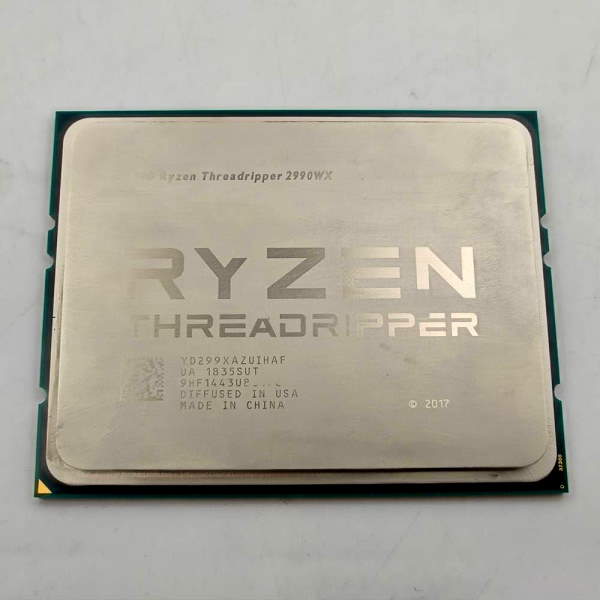
Other Threadripper Processors to consider
With this CPU, you can’t be wrong. The only issue is the hefty price tag, though this isn’t an issue give the value it provides. Here are some other alternatives to consider:
AMD Ryzen Threadripper 3970X
- 32 cores / 64 threads
- Base/Boost: 3.7GHz / 4.5GHz
- Socket sTRX4
AMD Ryzen Threadripper 3990X
- 64 cores / 128 threads
- Base/Boost: 2.9GHz / 4.3GHz
- Socket sTRX4
AMD Ryzen Threadripper PRO 3975WX
- 32 cores / 64 threads
- ECC support, more PCIe lanes
- Socket sWRX8
AMD Ryzen Threadripper PRO 3995WX
- 64 cores / 128 threads
- Great for rendering, simulation, and VFX
- Socket sWRX8
Other Considerations
This CPU works perfectly with EEC RAM, in case you need to run server applications. Additionally, you should limit the RAM to 2933 MHz and the power to a steady 250 Watts. With this configuration, you don’t need liquid cooling. This is quite impressive because this is a high-end CPU, which in most cases requires liquid cooling to keep temps down.
The Noctua air cooler is enough to cool your chip. It should also interest you to note that the AMD product warranty does not cover damages caused by overclocking, even when overclocking is enabled via AMD hardware. If you plan to overclock this CPU, have it at the front of your mind.
RELATED ARTICLE

Best Wi-Fi Routers for Gaming and Streaming
We round up the best of the best routers for gaming and streaming. Full Review and buying guide
The Motherboard

This hefty board from ASRock is superbly engineered to handle demanding workloads the Threadripper was designed to handle. It supports a maximum of 64GB of RAM, for the most demanding applications. Heck, for that amount of RAM, you can do anything imaginable right now!
The powerful heat sink ensures the PC stays cool during even heavy stress.
This not only supports multi-core CPUs but also creates the right environment for overclocking.
For expansion, it has a variety of ports to connect peripherals.
This is a solid board that should last a couple of years before you start thinking of an upgrade.
CPU Cooler

Our cooler of choice is the Noctua NH-U14S TR4-SP3 Premium-Grade 140mm CPU Cooler which is specially customized for the AMD TR4/SP3 socket. So be assured that this cooler will satisfactorily cool your CPU. Oh, yea. It’s an air cooler.
You might be wondering why the Threadripper doesn’t strictly require liquid cooling like its Intel peers such as the high-end i9. Thanks to its ability to max out at 68 degrees Celsius during heavy use, which is truly remarkable for a chip of this caliber.
With six heat pipes, a fin surface area of more than 6000cm², and the large NF-A15 140mm fan, the NH-U14S TR4-SP3 provides a superior level of cooling performance that makes it ideal for the most high-end, enthusiast-grade TR4/SP3 systems.
Boot and Storage Drives

For our storage drive, we chose the good old Barracuda, featuring 8TB of beefy storage space, enough for storing huge media files. When it comes to hard drives, we are spoilt for choices. Well, if you need other options, you can go for the 6TB or 3TB options.
In all, you can’t go wrong with a barracuda. Our SSD of choice is the Samsung 980 NVMe 500GB, enough for all our applications. Samsung NVMes are preferred for their performance, allowing users to benefit from faster, more fluid communication with the host system.
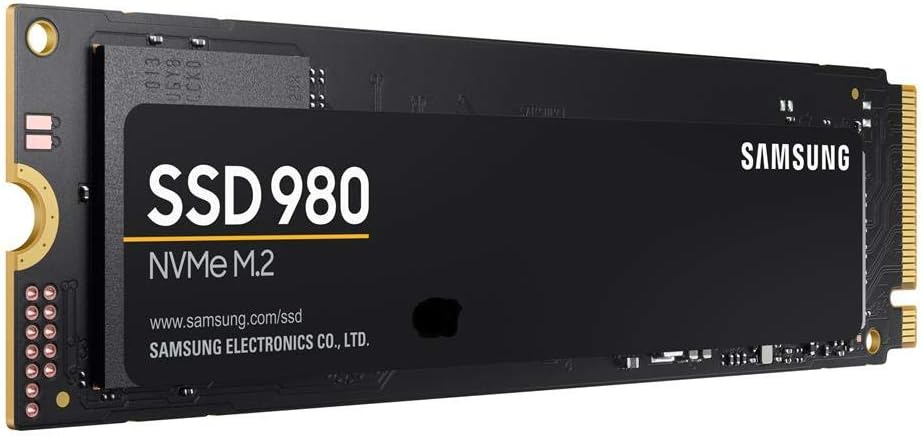
The Samsung 980 NVMe 500GB, a speedy little piece of hardware. The 990 EVO transforms high-end gaming and streamlines graphic-intensive workflows with the new Phoenix controller and Intelligent TurboWrite technology. You can easily achieve sequential read/write speeds of 3,500/3,000 MB/s. This is the boot drive and also for your apps.
Power Supply
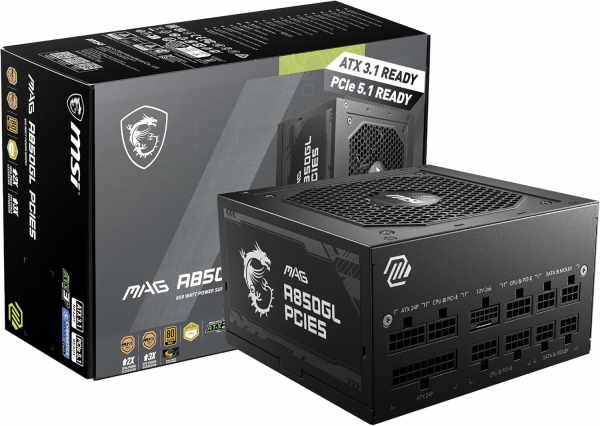
Our choice power supply for the best 3D animation and render desktop is the MSI Mag Gaming PSU Full Modular 80+ Gold 850W Power Supply, a solid power supply that should comfortably handle the power needs of this rig. It is fully modular, which means you can only connect the components you need, without getting messy with cables.
Apart from this, this is a premium power supply that boasts of superior capacitors that deliver clean energy during heavy or light use.
Finally, it is 80+ Gold rated which means the product meets the minimum specification standards and is backed by a 10-year warranty from MSI. What more can you ask for in a power supply?
Related Article

Best Gaming PC Build for all Budgets – Full Guide
We take you through our best guide yet on the best gaming PC build for all budgets.
RAM

This rig can accommodate up to 128GB DDR4 RAM. You might want to limit the speed to 2933MHz because of stability issues. If you run a higher clock speed, you might experience problems running the PC. We choose the speedy LPX from Corsair. Yea… We love Corsair because they make awesome memory chips.
Graphics Card

This build definitely doesn’t require a GPU rendering capable graphics card, and that’s why the RTX 3050 is ideal. We don’t need a high-end GPU for GPU rendering because the CPU is up to the task.
If you find this card pricey, you can opt for less pricey previous generation cards including the 1070 GTX with 1920 Cuda Cores and 8GB VRAM, 1080 GTX with 2560 Cuda Cores and 8GB VRAM, and the GTX 1080 Ti with 3584 Cuda Cores and 11GB VRAM. If you really want a high-end card, you might consider the NVIDIA Quadro P6000, which comes with 24GB of Video RAM.
Optical Drive

Every media professional knows you need an optical drive for outputting your media for clients, or for transferring large media files from one workstation to the other. The LG Blu-ray optical drive gives you that functionality at a decent price. Whether you are burning video files for previews or demo discs, it’s got you covered. However, this is optional as you may not need this component because of the digital delivery option for media.
Display

Our display of choice, the 27-inch Dell display provides more than enough screen real estate for enhanced productivity.
This monitor is well-engineered for color reproduction, featuring a Full HD resolution, and, did we mention this, it’s quite easy on the eyes. It’s a monitor that is well worth the money.
PC Case

The NZXT H510 Flow is a superbly engineered case and we love it. You should too. It features a ton of features, apart from its sleek design and looks. We chose it because of its expandability options and the value it offers.
This compact mid-tower is an ideal case for high-performance builds and features a perforated front panel for maximized airflow. The H510 is easy to build in and offers flexibility for a variety of ATX parts.
Features include:
- Perforated front panel for maximized airflow.
- Cable routing kit with pre-installed channels and straps.
- Uninterrupted tempered-glass side panel.
- Flexibility for a variety of ATX parts. Includes high-performance fans with fluid dynamic bearings.
RELATED ARTICLE

Best GPUs under 100 dollars – Full Review
We review the best entry-level graphics cards for under 100 dollars plus a full buying guide.
Installation notes
Installing this build shouldn’t be a problem at all, just don’t throw away your user install manuals. Otherwise, install hardware in this order: Motherboard, CPU, RAM, Storage, Graphics card, and other components. Alternatively, follow our step-by-step guide on how to build a PC here.
Install Windows and watch this beast of a processor rip through compute-intensive applications such as rendering, scientific simulations, virtualization, and other processor-intensive tasks. Our best 3D Animation and render desktop build 2021 guide is complete.
If you are into laptops and want the best machine for rendering, we recommend this guide on choosing the best laptop for Solidworks and engineering design workloads.
Gamers will also find our guide on the best gaming PC build for all budgets quite useful. For Graphic Design and publishing professionals, we’ve got the ultimate guide to building a graphic design machine. Thanks for checking it out, and don’t forget to drop your comments in the comment section below.
What do you think of the information here? Did it help you in any way?